> ## Documentation Index
> Fetch the complete documentation index at: https://docs.voicemetrics.ai/llms.txt
> Use this file to discover all available pages before exploring further.
# Send Post Call Events
> The Send Post Call Event action lets you automatically send call logs to your external tools, apps, or CRMs after every completed call. This helps centralize data and automate workflows without manual effort.
## **How It Works**
When a call ends, the system will send a **POST request** to the provided server URL with complete call information. This includes the call summary, extracted data, and detailed metadata — ready to be consumed by any third-party app.
## **Setup Instructions**
**Create the Action**
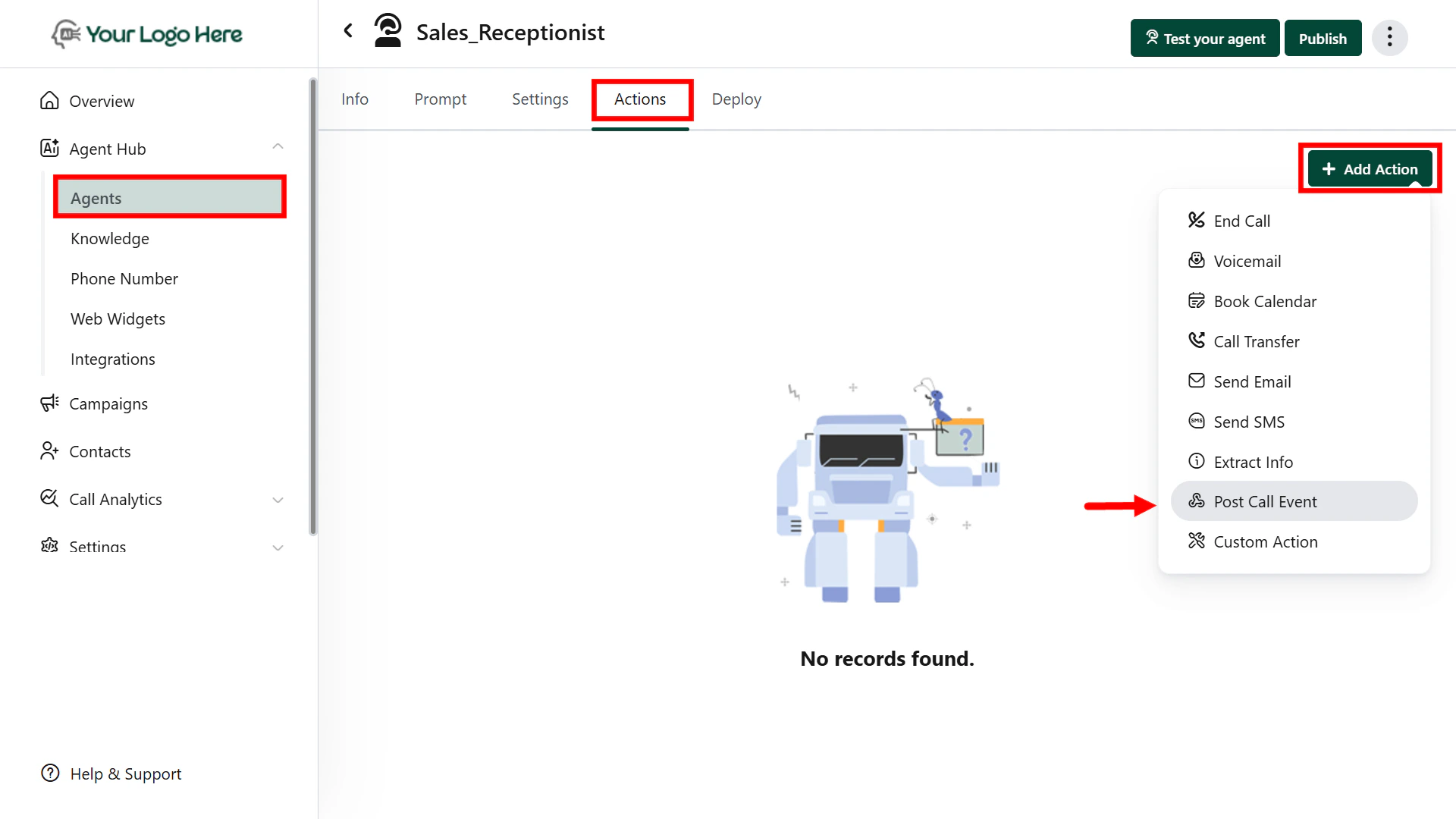
1. Go to **Actions** → Select **Post Call Event**
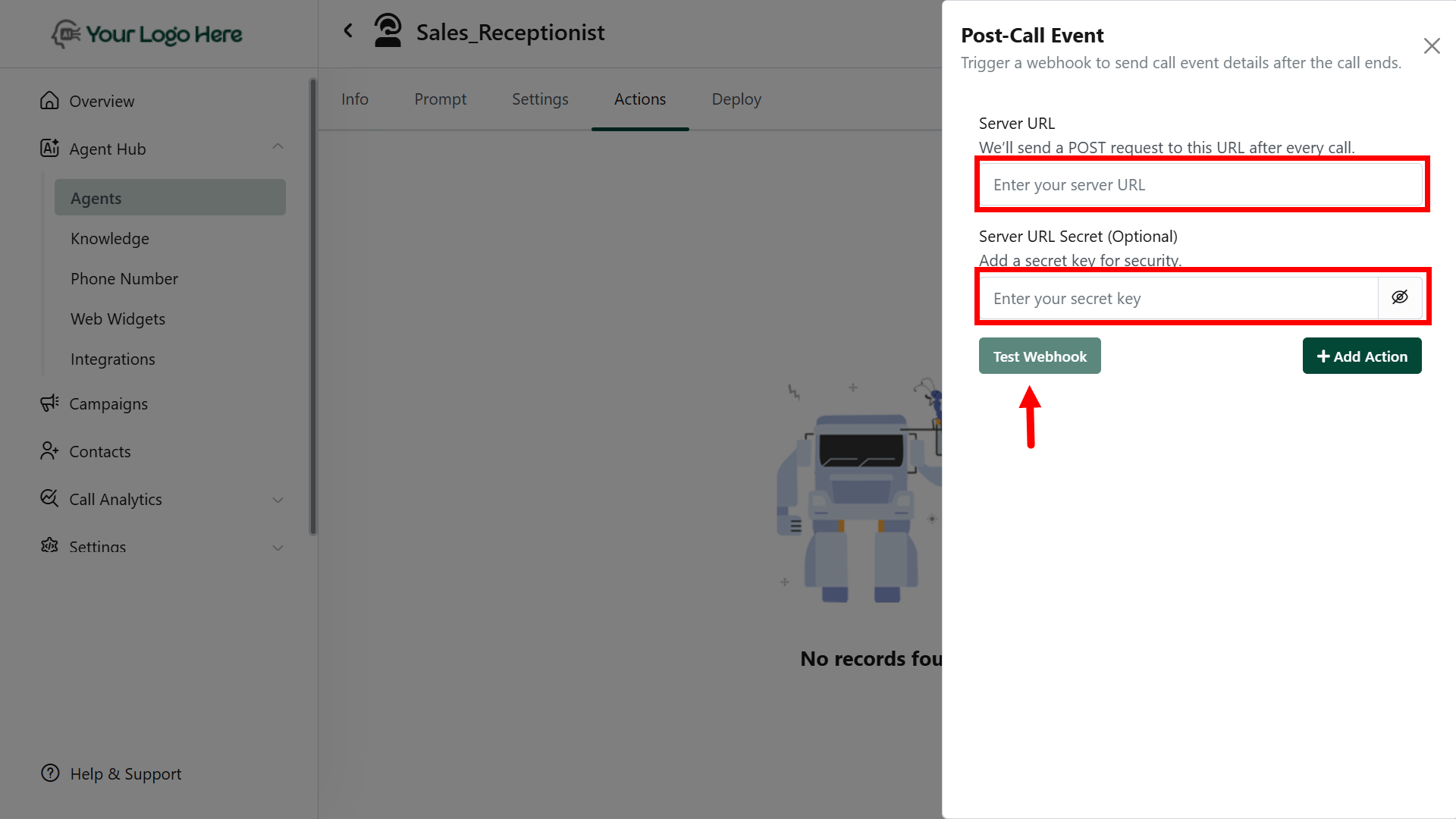
2. Add your **Webhook URL** (the server endpoint that will receive the data)
3. Click **Save.**
 ## **Webhook Payload Includes:**
The following fields are automatically included in the POST request:
* **Start Time**
* **End Time**
* **Duration**
* **Call Status** (Completed, Missed, etc.)
* **Call Type** (Inbound / Outbound)
* **Agent Name**
* **Agent Phone Number**
* **Lead Phone Number**
* **Goal Status** (Achieved / Not Achieved)
* **Call Rating** (e.g., 1–5 stars or tags)
* **Call Sentiment** (Positive / Neutral / Negative)
* **Ended Reason** (e.g,. user hang-up, agent transfer)
* **Call Summary** (Auto-generated or defined by prompt)
* **Extracted Info** (via #Extract\_Info action)
* **Full Transcript** (Complete conversation log)
Make sure your endpoint is ready to receive JSON payloads and handles retries if needed.
## **Sending Data to CRM, Marketing Tools, or Sheets**
You can connect the **Send Post Call Event** action to any platform that supports webhooks or APIs. Popular use cases include:
* **CRM Integration:**\
Auto-create or update contacts/leads in platforms like HubSpot, Zoho, Salesforce, or custom CRMs using the call data.
* **Marketing Tools:**\
Trigger workflows in tools like ActiveCampaign, Mailchimp, or automation platforms like Zapier, N8N.
* **Google Sheets or Databases:**\
Send call logs directly into Google Sheets for reporting, dashboards, or manual follow-up workflows.
**To achieve this, you can:**
* Use tools like **Zapier**/**Make.com**/**N8N** as middleware
* Point the webhook URL to a backend server/script that routes the data to your system
* Use Google Apps Script to auto-fill Sheets from webhook payloads
Customize the call data structure on your server to match the target platform’s API format.
## **Best Practices**
* Use this action to sync call data with CRMs, Google Sheets, marketing tools, or custom dashboards
* Combine with #Extract\_Info for structured lead data
* Ensure endpoint response is fast and returns a 200 OK status to avoid retries
## **Webhook Payload Includes:**
The following fields are automatically included in the POST request:
* **Start Time**
* **End Time**
* **Duration**
* **Call Status** (Completed, Missed, etc.)
* **Call Type** (Inbound / Outbound)
* **Agent Name**
* **Agent Phone Number**
* **Lead Phone Number**
* **Goal Status** (Achieved / Not Achieved)
* **Call Rating** (e.g., 1–5 stars or tags)
* **Call Sentiment** (Positive / Neutral / Negative)
* **Ended Reason** (e.g,. user hang-up, agent transfer)
* **Call Summary** (Auto-generated or defined by prompt)
* **Extracted Info** (via #Extract\_Info action)
* **Full Transcript** (Complete conversation log)
Make sure your endpoint is ready to receive JSON payloads and handles retries if needed.
## **Sending Data to CRM, Marketing Tools, or Sheets**
You can connect the **Send Post Call Event** action to any platform that supports webhooks or APIs. Popular use cases include:
* **CRM Integration:**\
Auto-create or update contacts/leads in platforms like HubSpot, Zoho, Salesforce, or custom CRMs using the call data.
* **Marketing Tools:**\
Trigger workflows in tools like ActiveCampaign, Mailchimp, or automation platforms like Zapier, N8N.
* **Google Sheets or Databases:**\
Send call logs directly into Google Sheets for reporting, dashboards, or manual follow-up workflows.
**To achieve this, you can:**
* Use tools like **Zapier**/**Make.com**/**N8N** as middleware
* Point the webhook URL to a backend server/script that routes the data to your system
* Use Google Apps Script to auto-fill Sheets from webhook payloads
Customize the call data structure on your server to match the target platform’s API format.
## **Best Practices**
* Use this action to sync call data with CRMs, Google Sheets, marketing tools, or custom dashboards
* Combine with #Extract\_Info for structured lead data
* Ensure endpoint response is fast and returns a 200 OK status to avoid retries