> ## Documentation Index
> Fetch the complete documentation index at: https://docs.voicemetrics.ai/llms.txt
> Use this file to discover all available pages before exploring further.
# Custom Domain
> A custom domain allows you to deliver a fully branded experience to your clients by hosting the platform under your agency’s domain (e.g., app.youragency.com). This enhances professionalism, builds trust, and keeps your brand at the forefront.
## **Why Use a Custom Domain?**
* Reinforce your agency’s identity by replacing generic URLs.
* Offer a seamless and consistent brand experience.
* Enhance client trust by establishing a domain they recognize as yours.
**Before setting up your custom domain**
* Access to your domain's DNS settings (via your domain registrar or hosting provider).
* A selected subdomain (e.g., app.yourdomain.com) for your platform.
## **Setup Instructions**
Select a subdomain like **app.yourdomain.com** to host your white-labeled platform.
**Tip:** Use a subdomain to keep your platform organized and separate from your main website (e.g., **yourdomain.com**).
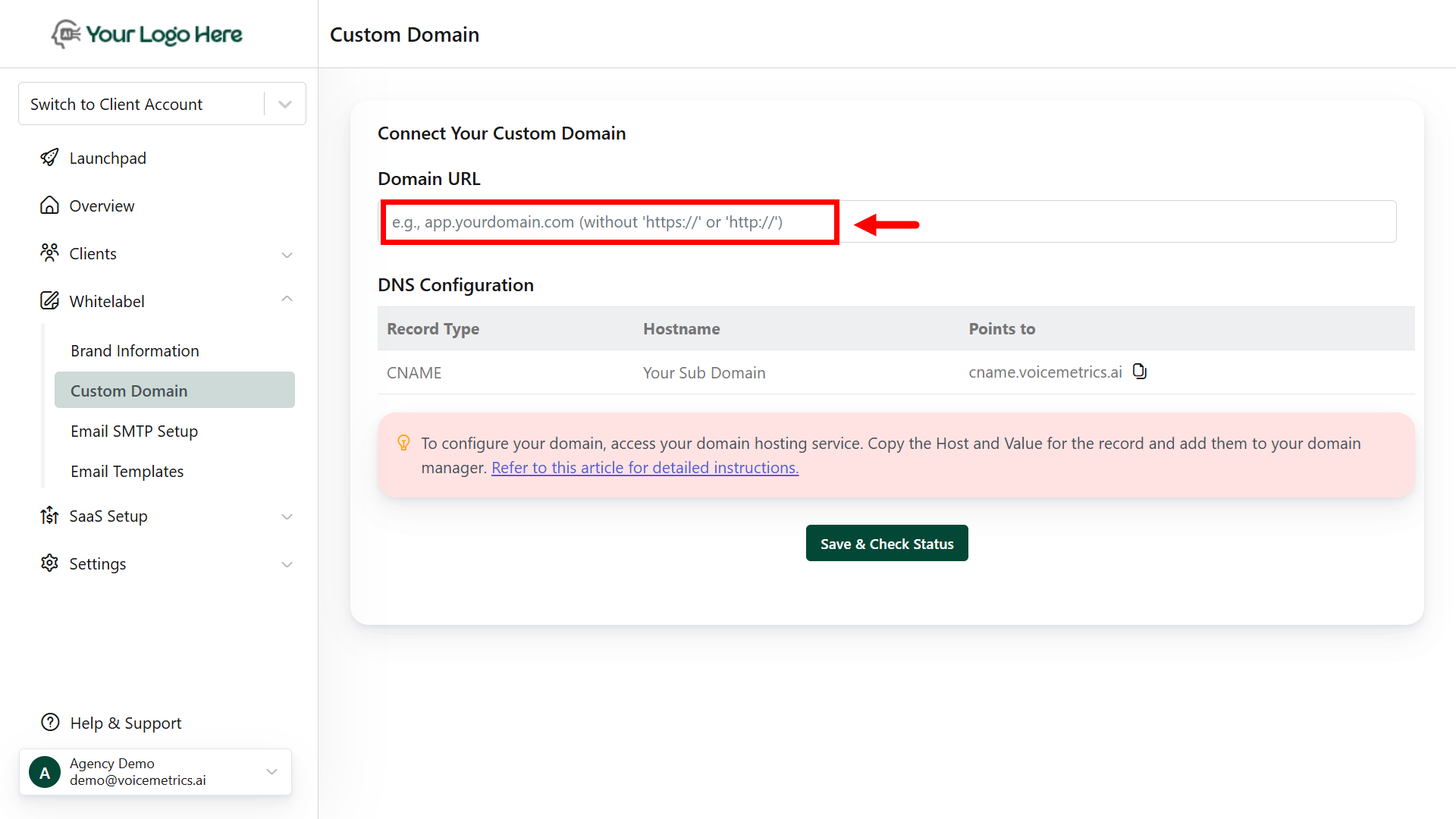
* Log in to your **Agency Panel**.
* Navigate to the **Custom Domain** section.
* Enter your subdomain (e.g., ai.yourdomain.com) and click **Check Status**.
 * Log in to your domain registrar (e.g., GoDaddy, Namecheap, Bluehost, etc.).
* Navigate to the **DNS Settings** or **DNS Management**.
* Add a **CNAME Record** with the following details:
* **Type**: CNAME
* **Host**: app (or your preferred subdomain prefix)
* **Value / Points to**: [cname.voicemetrics.ai](http://cname.voicemetrics.ai)
* Save the DNS record.
* Allow some time for DNS changes to propagate (typically a few minutes to 24 hours).
* Log in to your domain registrar (e.g., GoDaddy, Namecheap, Bluehost, etc.).
* Navigate to the **DNS Settings** or **DNS Management**.
* Add a **CNAME Record** with the following details:
* **Type**: CNAME
* **Host**: app (or your preferred subdomain prefix)
* **Value / Points to**: [cname.voicemetrics.ai](http://cname.voicemetrics.ai)
* Save the DNS record.
* Allow some time for DNS changes to propagate (typically a few minutes to 24 hours).
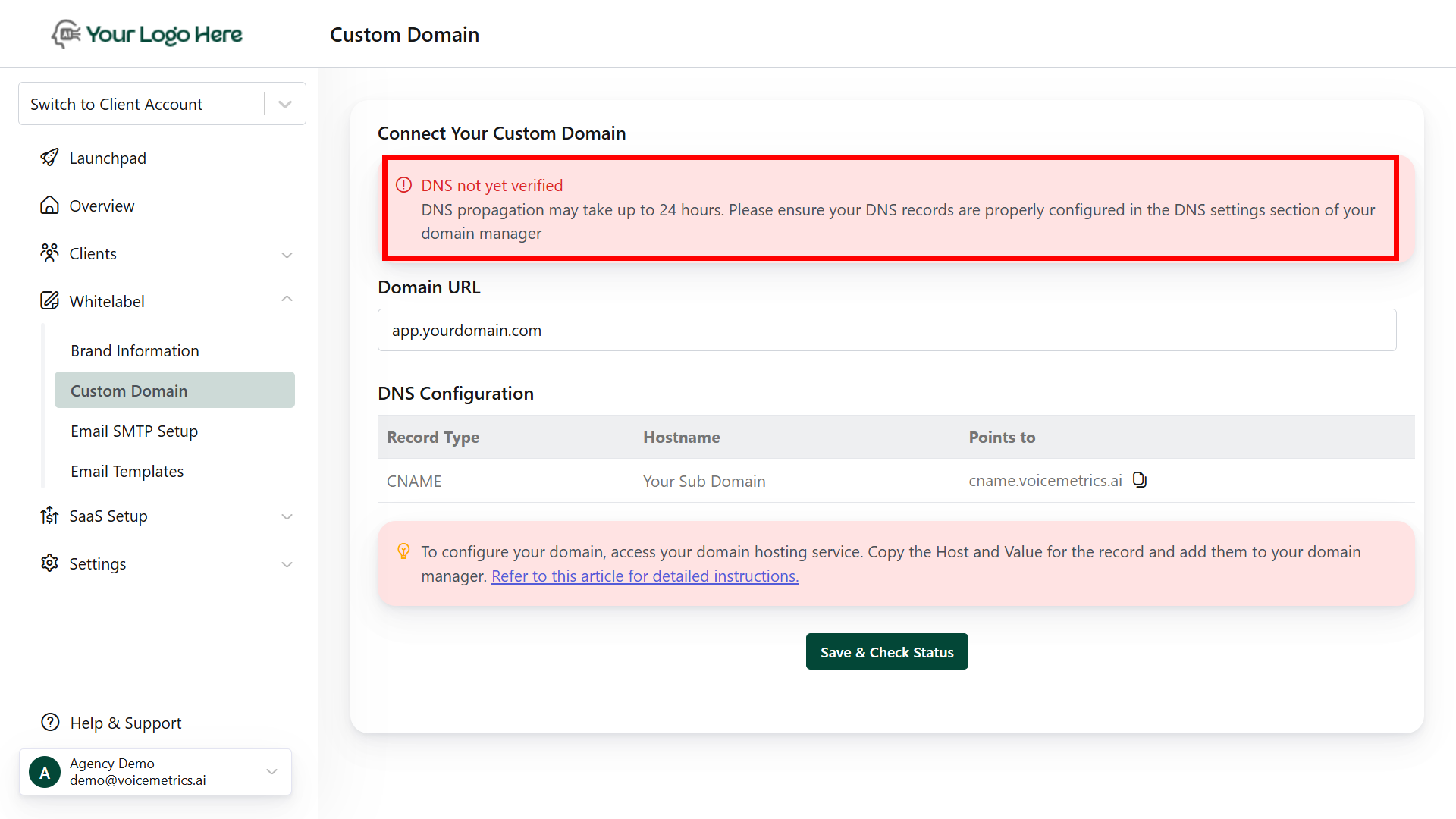 Make sure the CNAME points to the exact value provided in your Agency Panel.
After updating DNS:
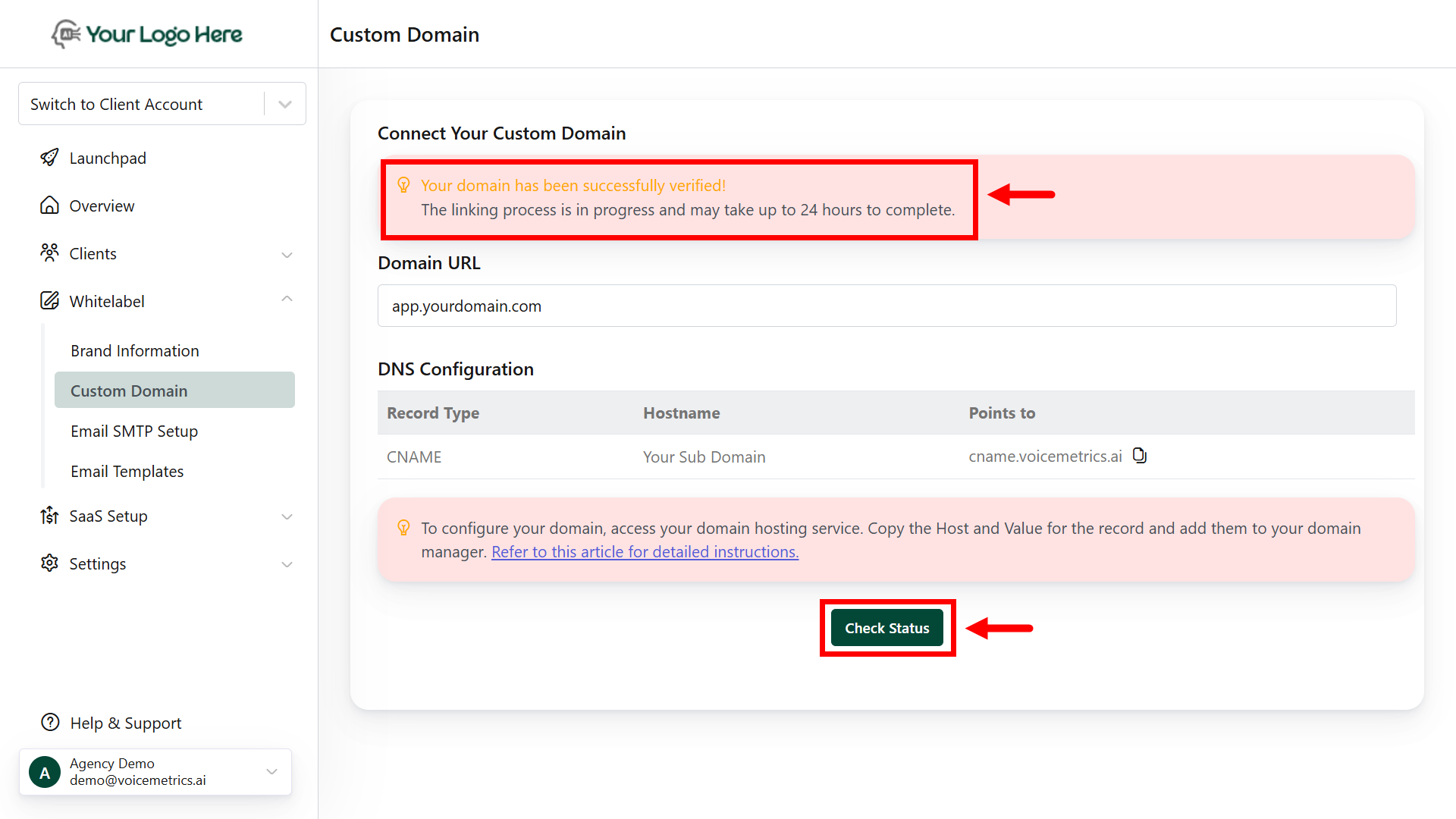
* Return to the **Custom Domain** panel.
* Click **Check Status** to trigger verification.
* DNS propagation may take from a few minutes to 24 hours.
Make sure the CNAME points to the exact value provided in your Agency Panel.
After updating DNS:
* Return to the **Custom Domain** panel.
* Click **Check Status** to trigger verification.
* DNS propagation may take from a few minutes to 24 hours.
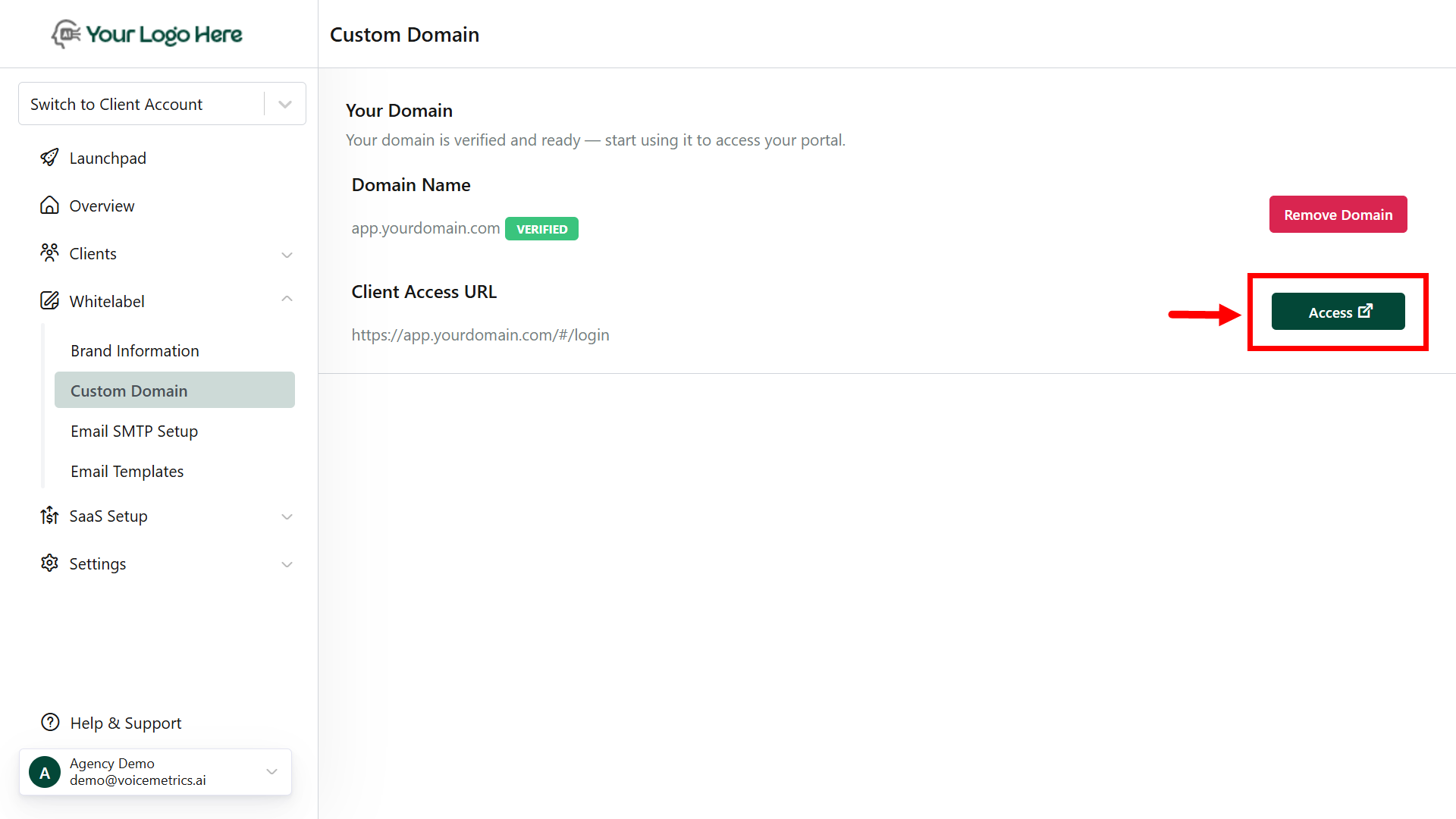
 Once verified:
* The platform becomes accessible via your custom domain.
* Open the custom URL in your browser to confirm it loads correctly.
* **Log in to ensure full functionality** under your white-labeled domain.
Once verified:
* The platform becomes accessible via your custom domain.
* Open the custom URL in your browser to confirm it loads correctly.
* **Log in to ensure full functionality** under your white-labeled domain.
 **Additional Notes**
**SSL Certificate**: The system auto-generates an SSL certificate; if not, install it manually.
**DNS Propagation**: It may take up to 24 hours globally for changes to take effect.
## **Frequently Asked Questions**
Not at all. You can use any subdomain, but app. is a common and professional choice. Subdomains allow flexibility while maintaining a clean separation from your main website.
Here’s a recommended setup:
* **Main Website**: [yourdomain.com](http://yourdomain.com) – for marketing, lead capture, etc.
* **White-Label Platform**: [app.yourdomain.com](http://app.yourdomain.com) – for your branded client access
This structure keeps things organized and easy to manage for both your agency and clients.
**Additional Notes**
**SSL Certificate**: The system auto-generates an SSL certificate; if not, install it manually.
**DNS Propagation**: It may take up to 24 hours globally for changes to take effect.
## **Frequently Asked Questions**
Not at all. You can use any subdomain, but app. is a common and professional choice. Subdomains allow flexibility while maintaining a clean separation from your main website.
Here’s a recommended setup:
* **Main Website**: [yourdomain.com](http://yourdomain.com) – for marketing, lead capture, etc.
* **White-Label Platform**: [app.yourdomain.com](http://app.yourdomain.com) – for your branded client access
This structure keeps things organized and easy to manage for both your agency and clients.