> ## Documentation Index
> Fetch the complete documentation index at: https://docs.voicemetrics.ai/llms.txt
> Use this file to discover all available pages before exploring further.
# Users
> Easily manage user accounts through the helpdesk. Access detailed profiles, track activity, and update permissions to deliver seamless support and efficient account handling.
## **Creating Agency Users**
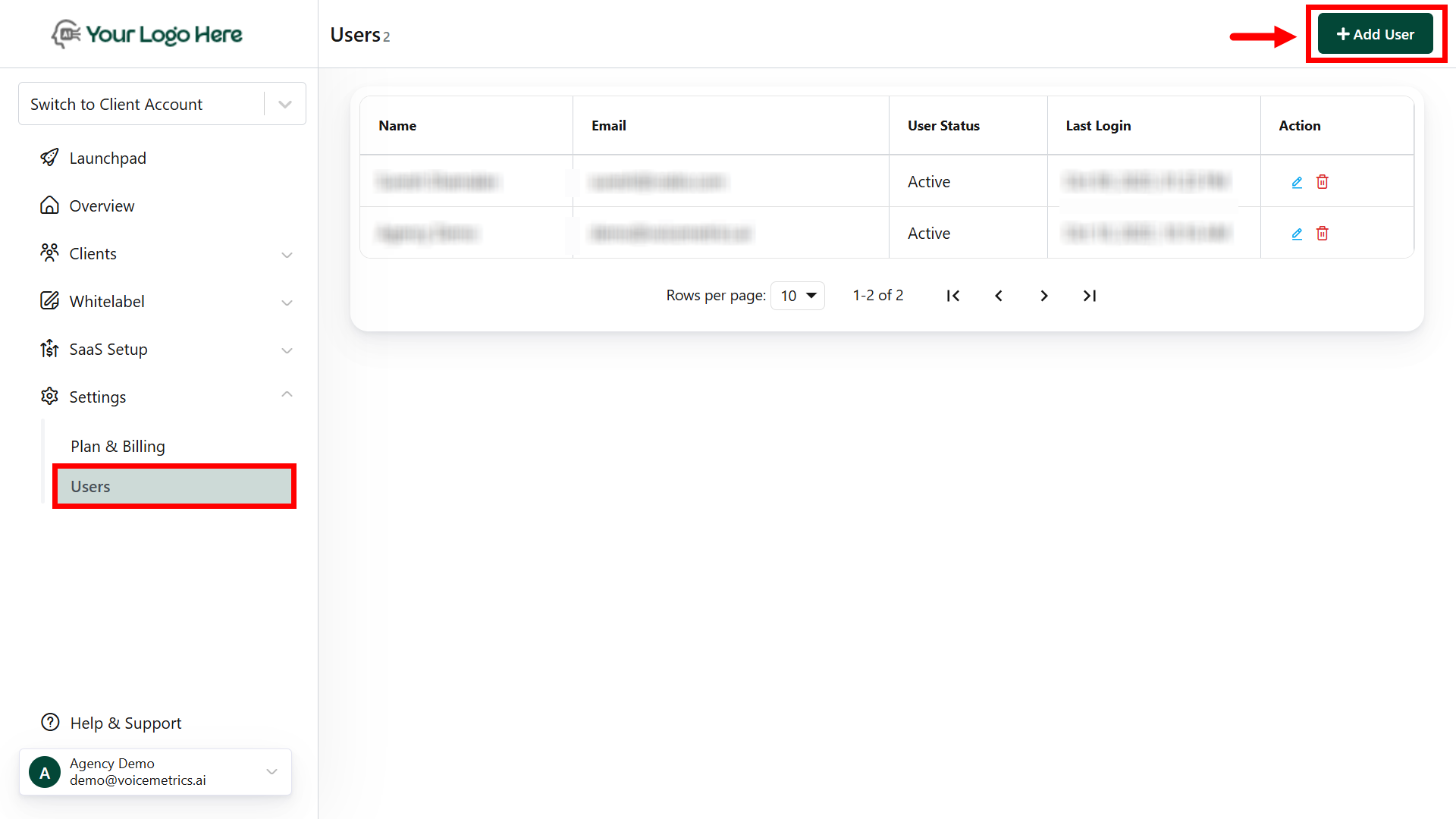
1. Log in to the Agency Panel and go to **Settings > Users.**
2. Click "**Add User**," fill in the required details, generate a password, and save.
 ## **Creating Client Users**
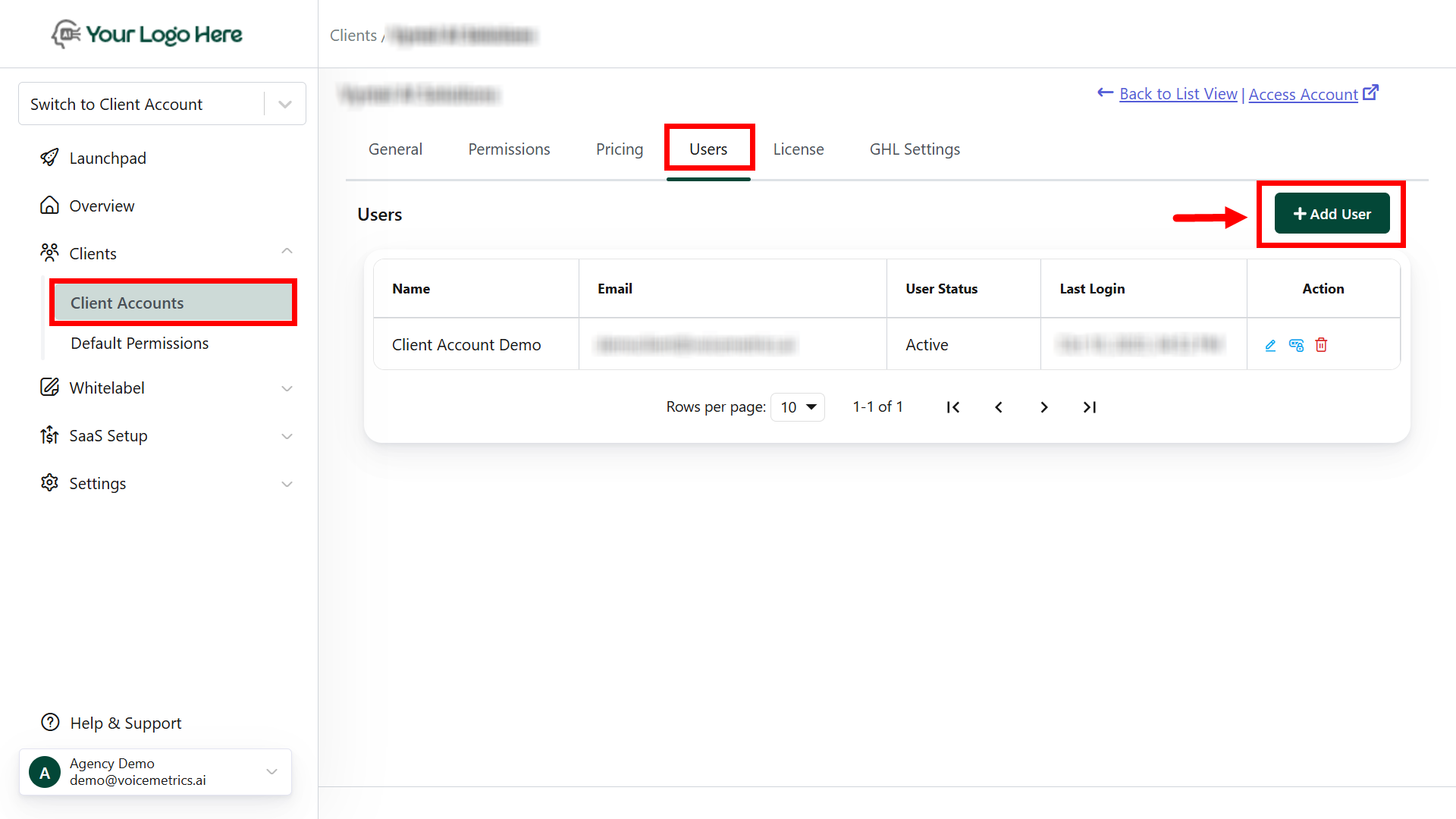
1. Log in to your Agency account and navigate to Client **Accounts > User tab.**
2. Click "**Add User**," complete the details, generate a password, and save.
## **Creating Client Users**
1. Log in to your Agency account and navigate to Client **Accounts > User tab.**
2. Click "**Add User**," complete the details, generate a password, and save.
 ## **Reset Password for Agency Users**
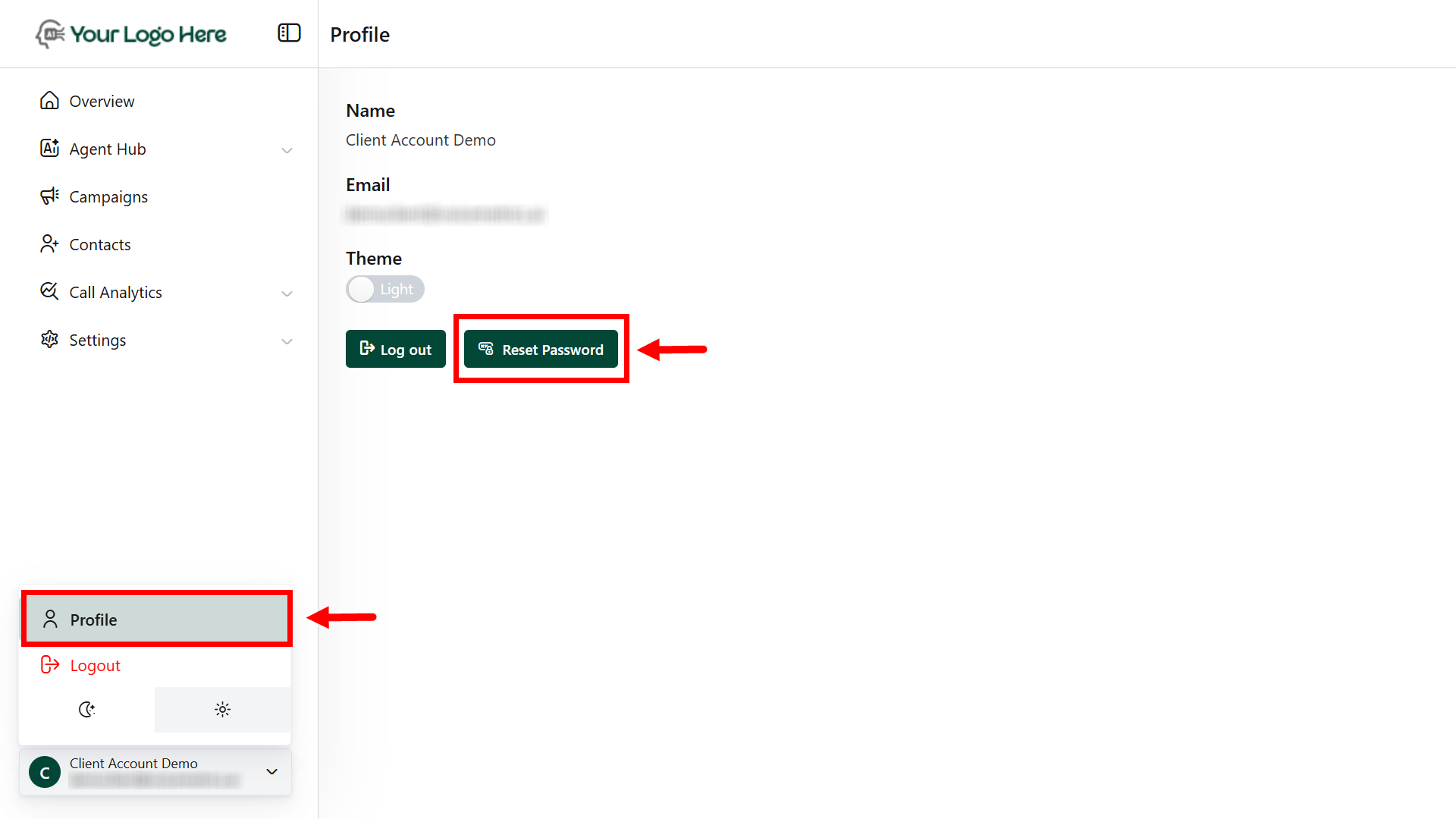
1. Log in to the **Agency Panel.**
2. Go to your profile and reset the password.
## **Reset Password for Agency Users**
1. Log in to the **Agency Panel.**
2. Go to your profile and reset the password.
 ## **Forgot Password for Agency or Client Users**
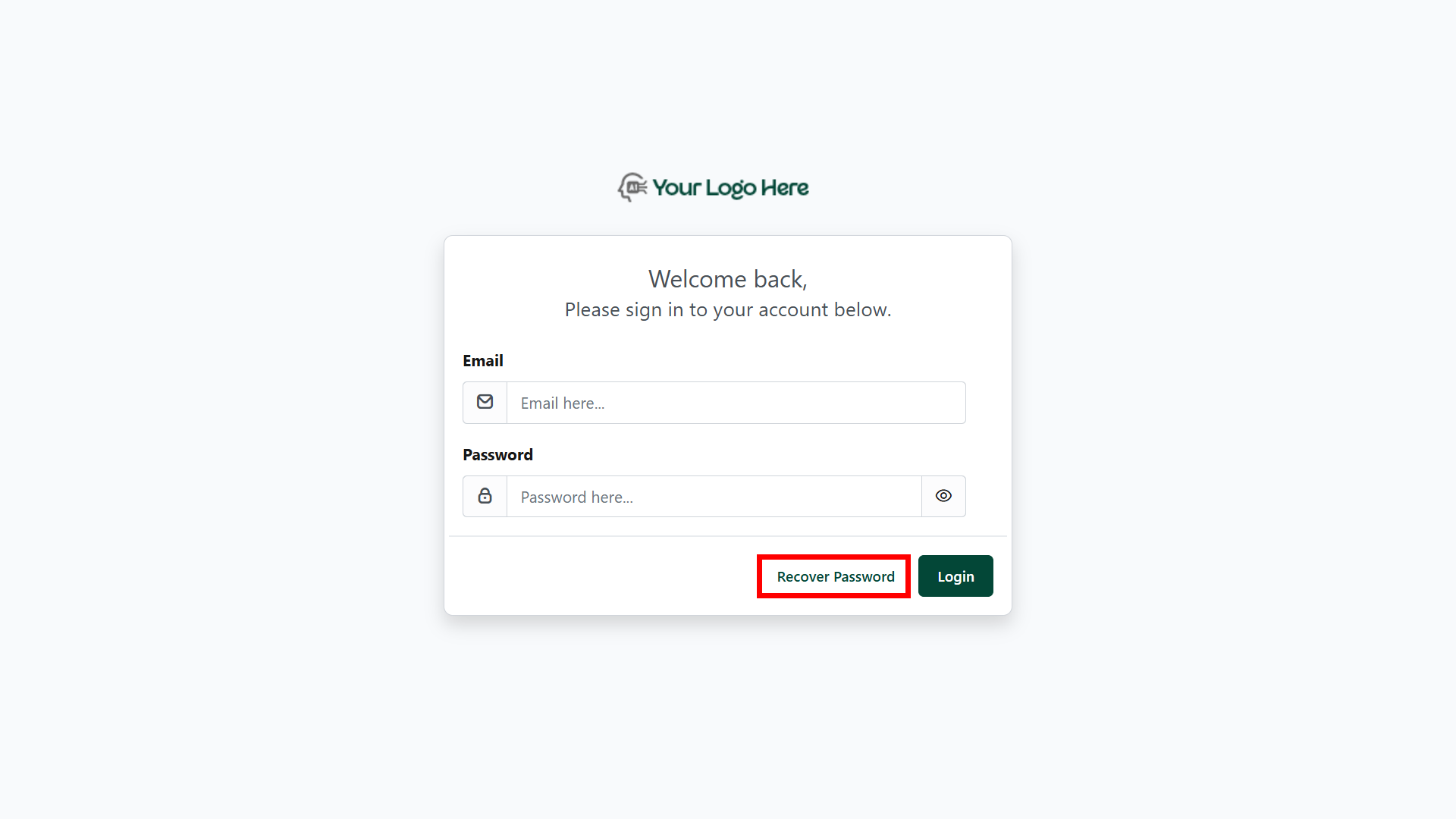
1. On the login page, click "**Recover Password.**"
2. Enter your registered email to **receive a reset link.**
3. Use the **email link** to reset your password.
## **Forgot Password for Agency or Client Users**
1. On the login page, click "**Recover Password.**"
2. Enter your registered email to **receive a reset link.**
3. Use the **email link** to reset your password.