

Why Enable Re-billing?
Enabling re-billing allows your clients to:- Explore the platform within the trial period (limited days and minutes).
- Seamlessly continue by subscribing after the trial ends.
- Maintain uninterrupted usage without manual intervention.
How to Enable Re-billing
You can enable re-billing in two ways:1
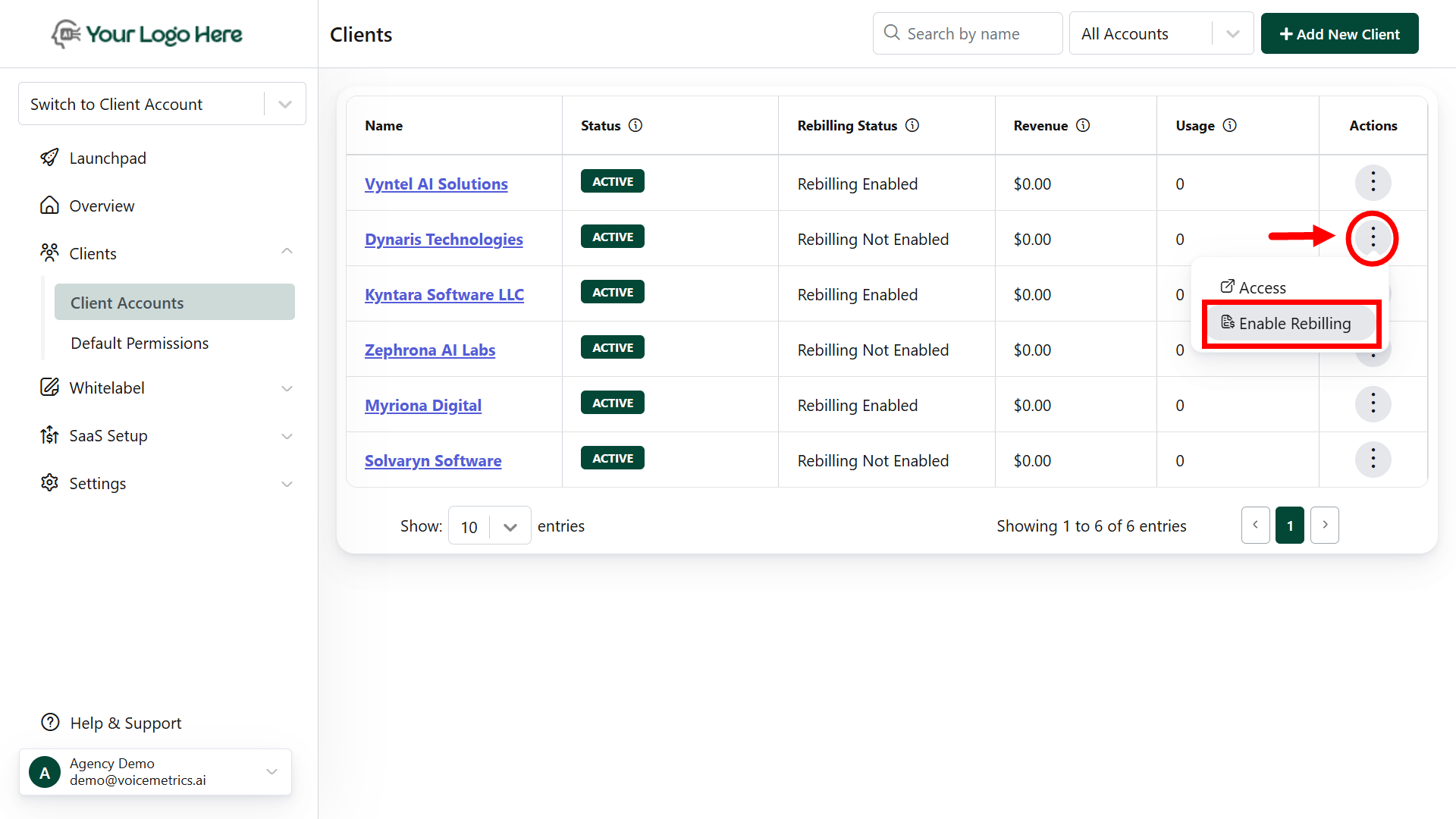
Client List Settings
- Log in to your Agency App.
- Go to the Clients menu.
- On the right corner, tap the kebab menu (⋮).
-
Select Enable Re-billing.
2
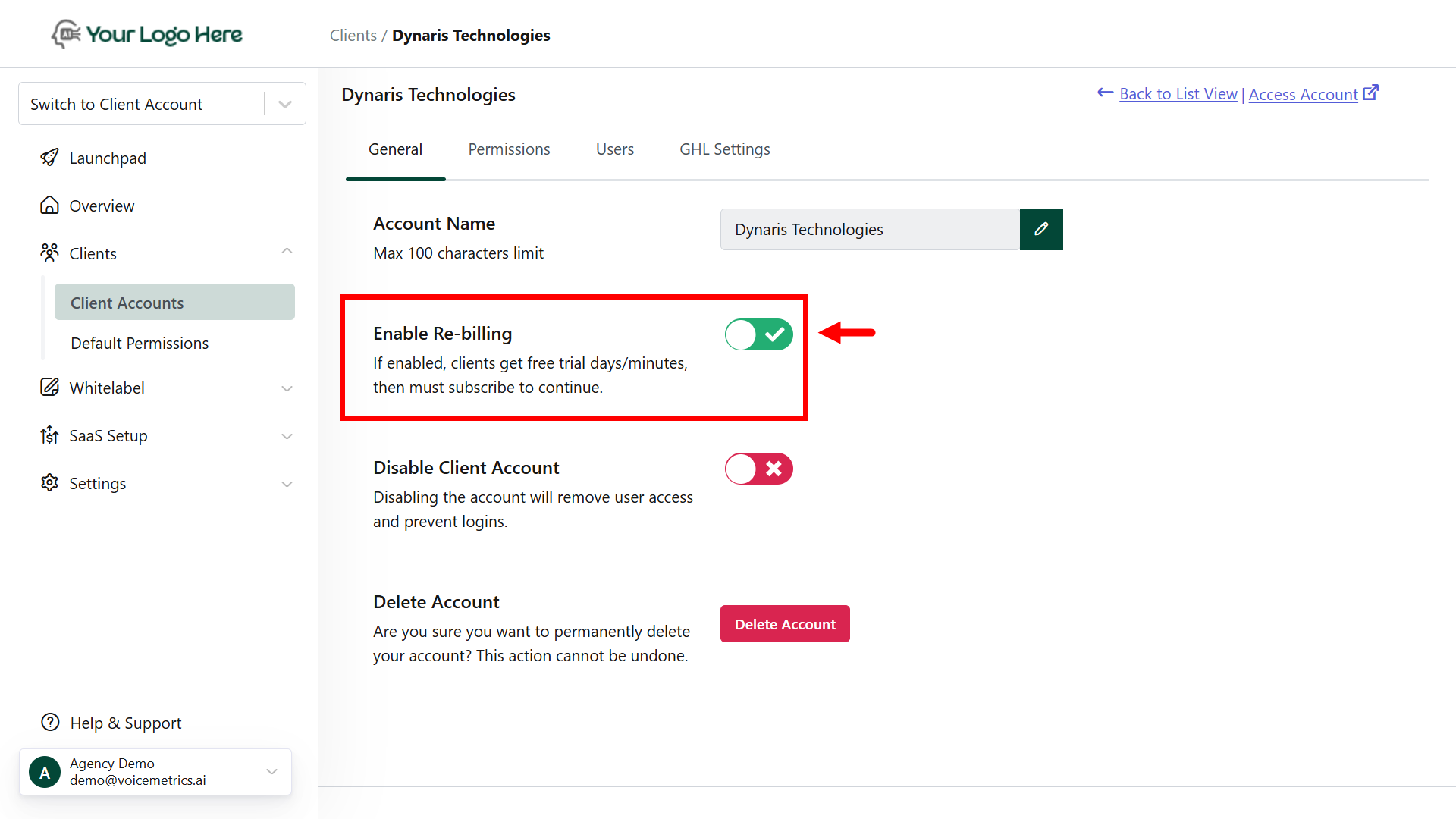
Client General Settings
- Log in to your Agency App.
- Navigate to the Clients menu and open the targeted client.
-
Under General Settings, toggle Enable/Disable Re-billing.
Re-Billing FAQ’s
Is re-billing mandatory for clients?
Is re-billing mandatory for clients?
Yes. Initially, clients can explore the platform without any restrictions. To continue using the platform within the trial period limits, enabling re-billing allows your clients to:
- Explore the platform within the trial period (limited days and minutes).
- Seamlessly continue by subscribing after the trial ends.
- Maintain uninterrupted usage without manual intervention.
Can I add licenses manually?
Can I add licenses manually?
Yes. To add a license manually, first enable re-billing for the client. Then go to the client’s License tab, click Add to assign days or minutes, and update remarks for tracking.