

How It Works
- Fetch Data from External Tools
- Pull info during a live call to personalize conversations or validate data.
- Check if the caller is an existing contact in your CRM
- Retrieve subscription status from your billing system
Prompt Example:
- Use condition #Check_Lead_Status to retrieve caller details using the phone number.
Send Data to External Tools
Push collected call data to external apps for follow-up actions. Use Case Example:- Send lead details to a CRM or spreadsheet after the call
- Trigger a drip email campaign in your marketing platform
Prompt Example:
- Use tool #Send_Lead_Info to push the caller’s name, email, and interest to CRM.
Connect with 1000+ Apps using Automation Tools
Easily integrate with platforms like:- Zapier
- Make (Integromat)
- n8n
- Add a contact to Google Sheets after the call
- Create a task in ClickUp for a sales rep
- Start a WhatsApp or email sequence via MailerLite or ActiveCampaign
- Add or update contacts in HubSpot CRM
- Record interest scores in the Notion database.
Prompt Example Using Custom Action
- Use tool #Fetch_Existing_Customer to check the caller status in our CRM.
- If not found, use tool #Send_New_Lead to send their name, phone number, and intent.
Setup Instructions
Go to the Agents and Edit → Navigate to Actions → Select Custom Actions.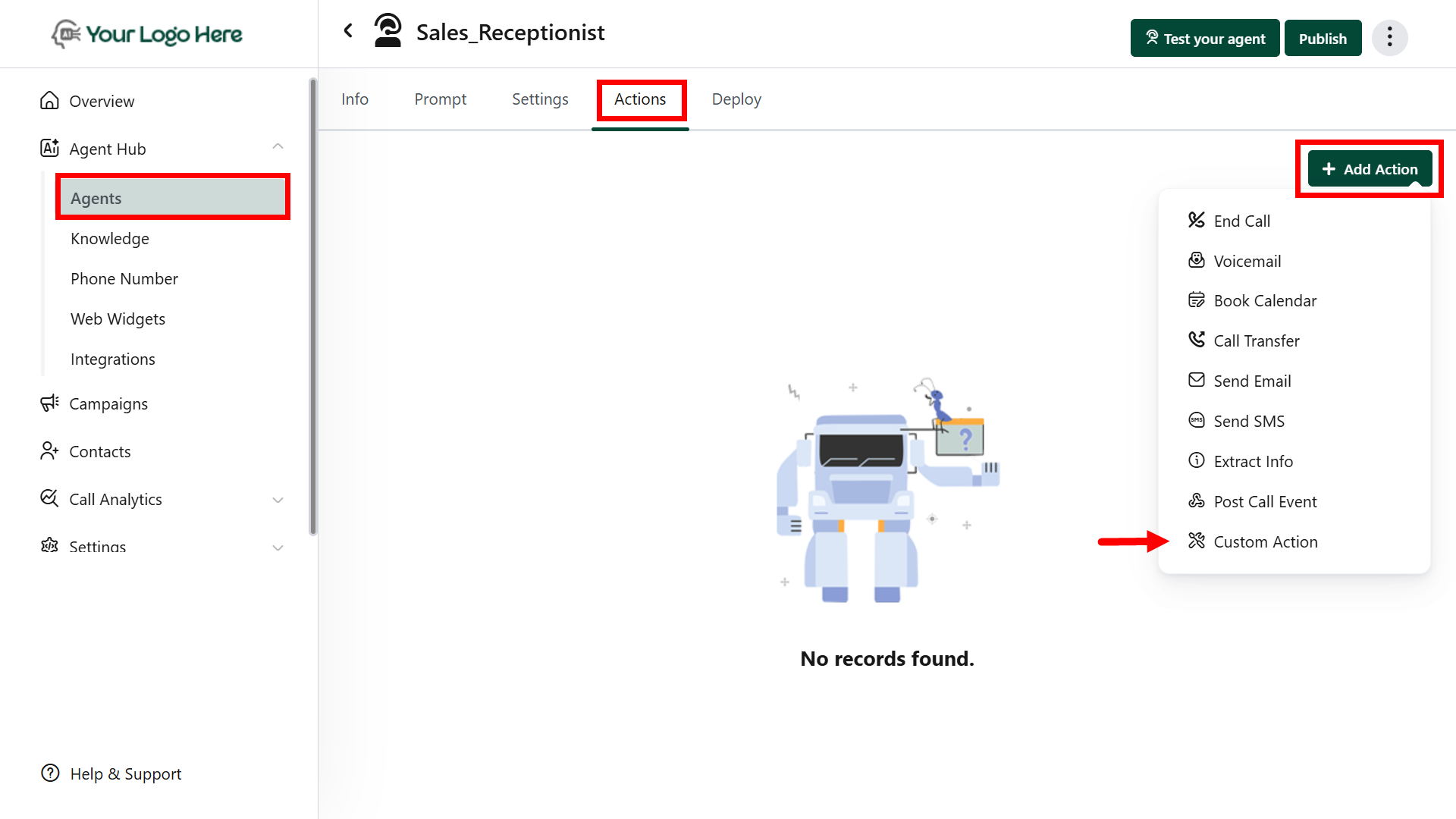
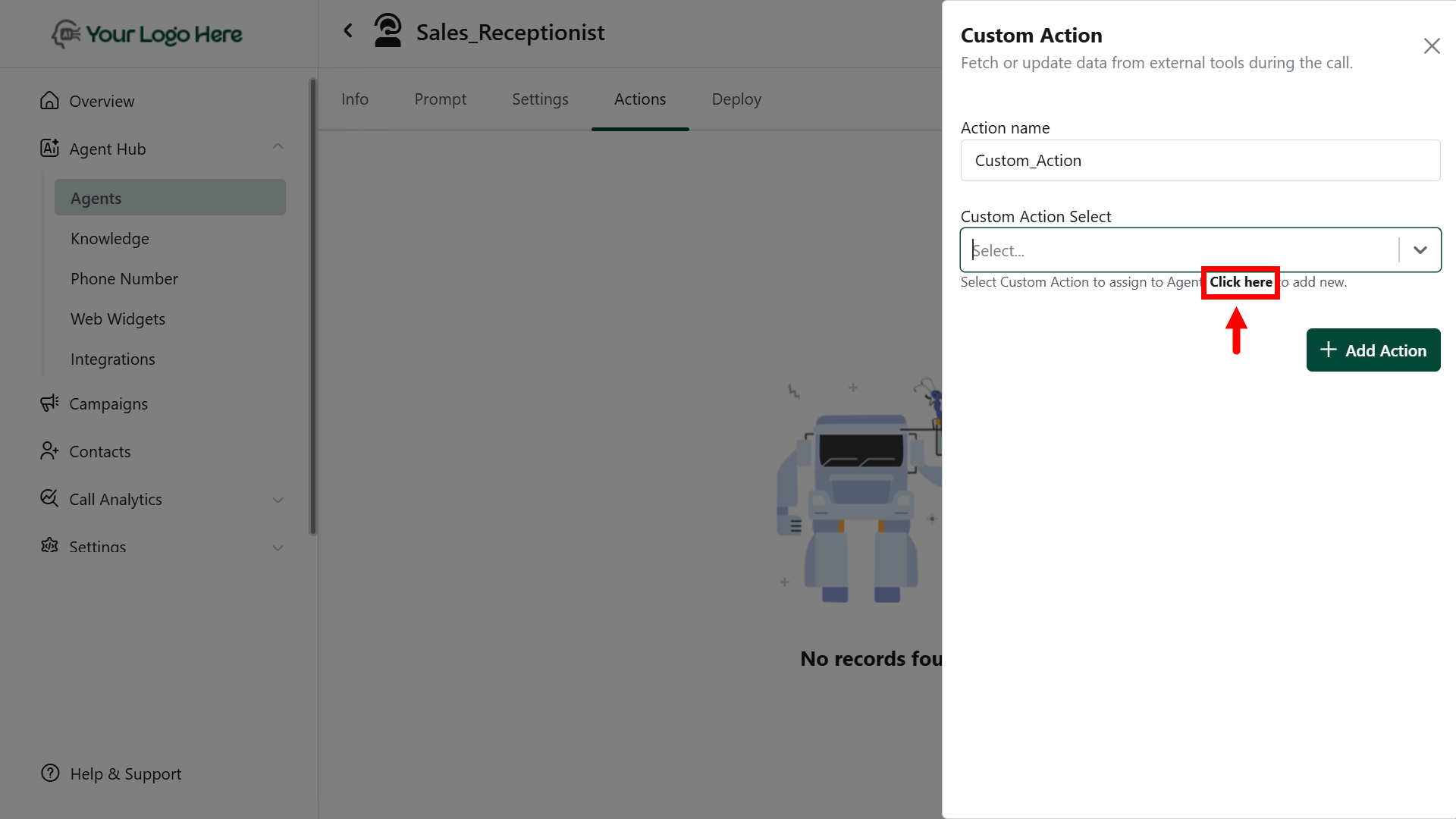
- Click on “Click here” to add a new Custom Action.
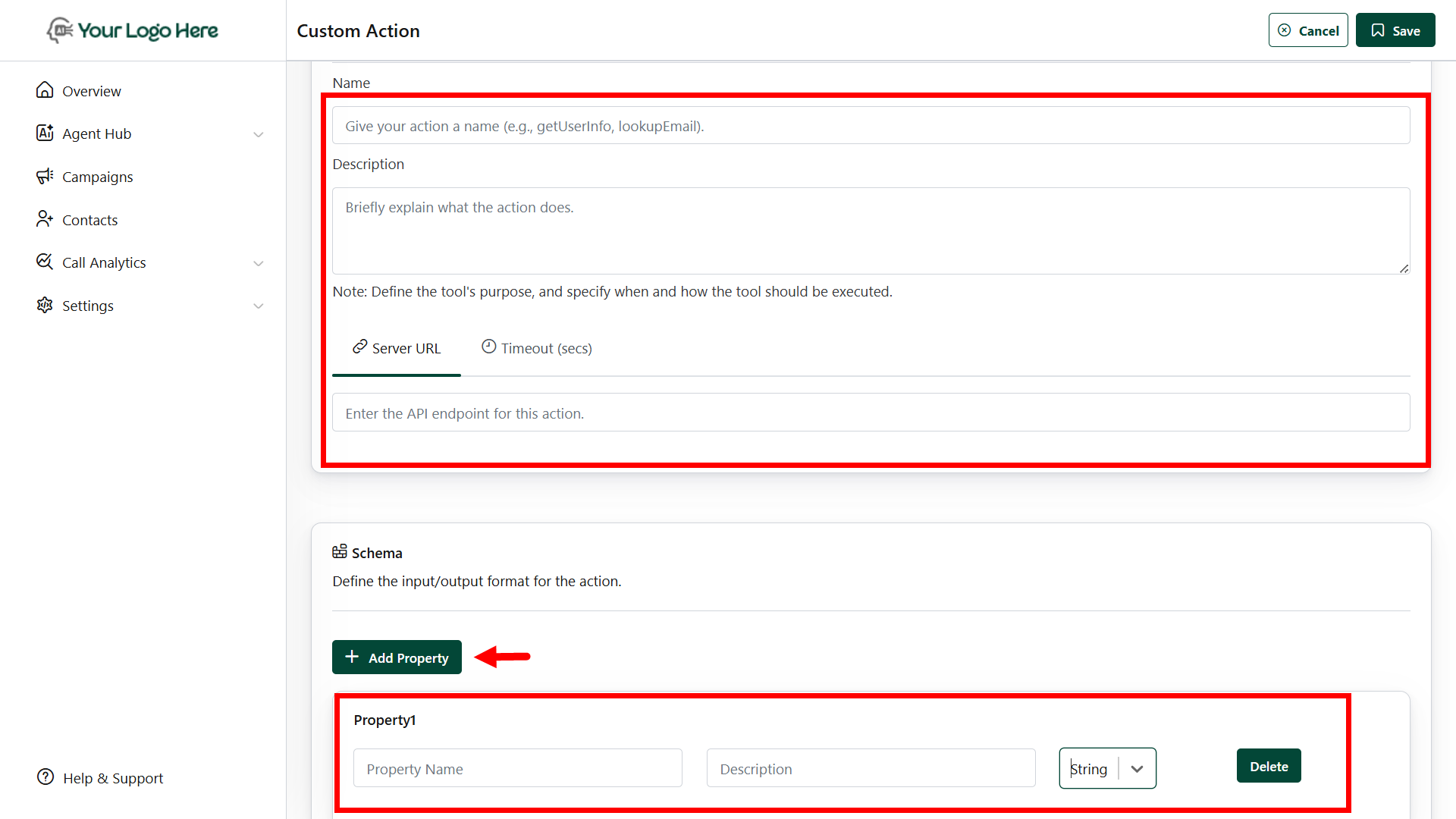
- Fill in the required fields:
- Name
Provide a unique name for your action (e.g., getUserInfo, lookupEmail). This will be used in the prompt as #ActionName. - Description
Add a short description to guide the AI on when and how to use this action. - Server URL
Enter the target API endpoint that this action will call. - Schema
Define the input/output parameters of the API:- Property Name – Define the field name (e.g., email, userId)
- Description – Explain the purpose of the field
- Type – Select the data type: String, Number, Boolean, Object, or Array
- Name
- Save the action.
- In the Agent Settings, go to Actions → Custom Actions and select the actions your agent should use during the call.
- Link it in your agent prompt using the format #ActionName.
Best Practices
- Use descriptive and meaningful action names
- Validate endpoints with Postman before linking
- Use automation tools (Zapier/Make/N8N) if the destination app doesn’t support APIs
- Combine with #Extract_Info to send structured data
- Ensure APIs respond within real-time limits (~2-3 seconds)