Webhooks Overview Webhooks provide a seamless way to:
**Capture new contacts **from any external platform
Update contact information (e.g., name, phone, email, tags)**Organize contacts **into lists or apply tags for segmentation
Trigger Outbound Automations based on new contact creation
Webhooks save time and improve contact response speed by automating the contact ingestion process, eliminating the need for manual entry.
A Contact Webhook is a unique URL where you can send HTTP POST requests to add or update contact data.
How It Works
You connect your third-party platform (e.g., CRM, form builder, ad tool) to the webhook URL.
When a new contact is generated or updated, data is sent to the webhook.
The system automatically adds or updates the contact record in the client account.
Tags or lists (if configured) are applied, and outbound automations can be triggered instantly.
How to Create a Webhook Follow these steps to create a contact webhook inside your platform:
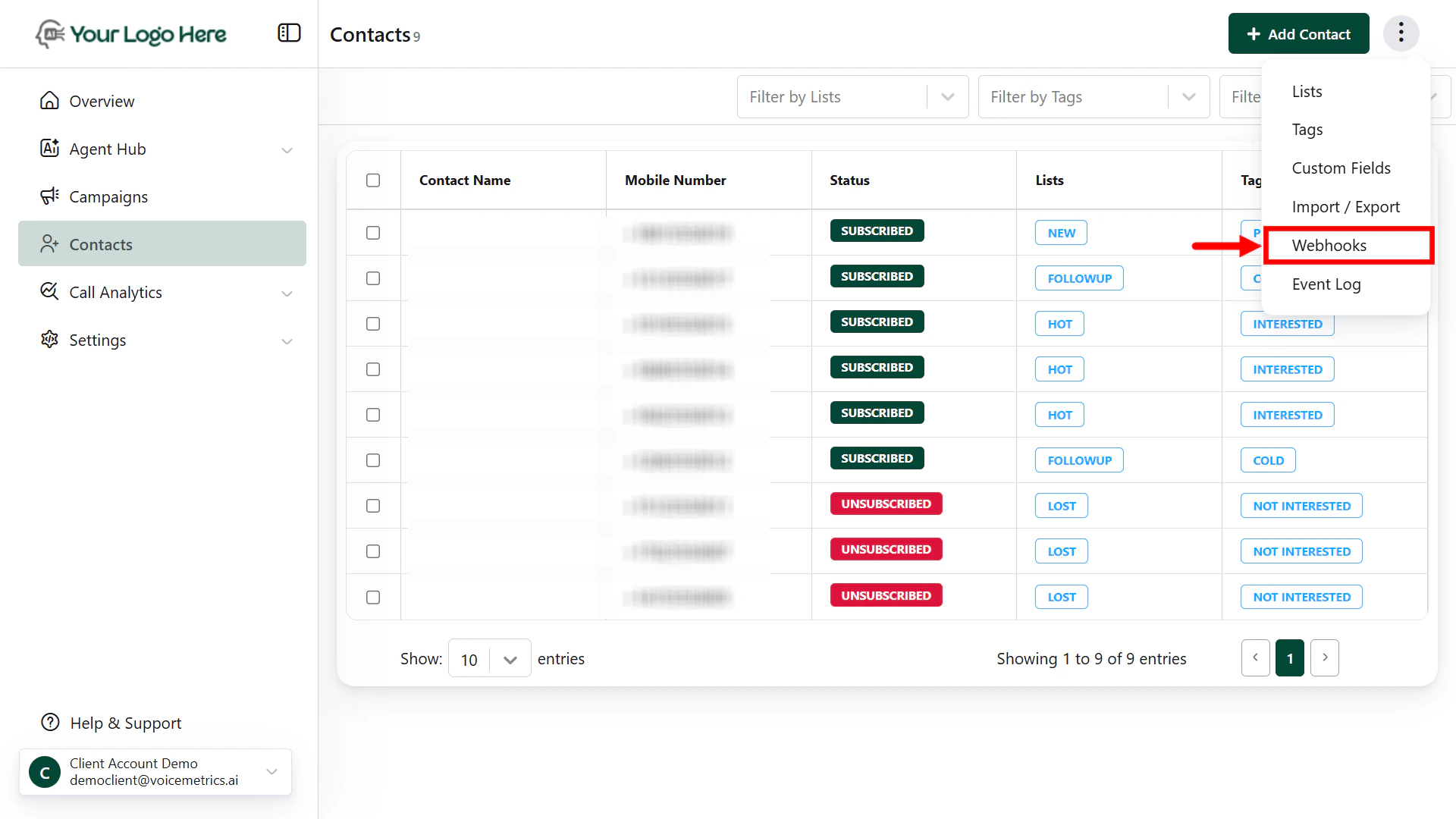
Navigate to the Contacts Menu
Click on three dots (⋮) > tap “Webhooks ”
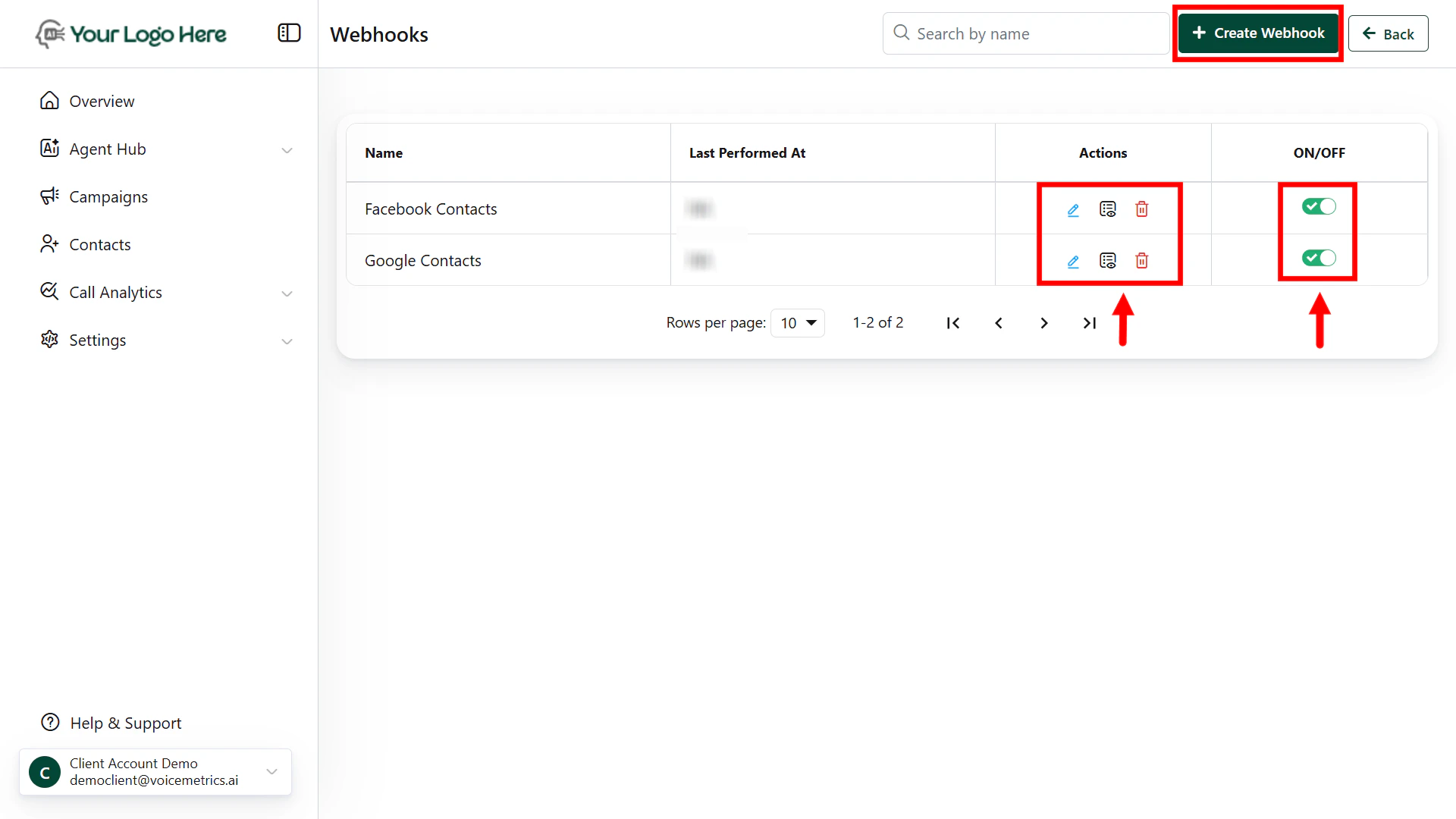
Click the Create Webhook button to begin.
Fill in the Webhook Details
Webhook Name – Give a recognizable name (e.g., “Facebook Leads”)
Webhook URL – A unique system-generated endpoint where you’ll send data
Field Mapping
Map the data fields you will send to the appropriate lead fields:
First Name
Last Name
Phone Number
Email
Any custom fields (e.g., budget, service interest)
Tag/List Management (Optional)
Apply your desired Tags
Apply default Tags (e.g., “facebook_ads”, “hot_leads”).
Assign leads to specific Lists for targeted follow-up or automation.
Sending Data via Webhook Make a POST request from your external tool (e.g., Zapier, Make, N8N, CRM) to the provided webhook URL with your contact data.
If the lead already exists (matched by phone number), it will be updated instead of duplicated .
Automation Trigger You can set up Outbound Call Automations to trigger when:
A new contact is added
A contact is updated with specific tags or lists
This ensures the contact gets dialled instantly without delays.
Use Cases
Facebook/Instagram Ads – Capture contacts from ad forms and start voice conversations instantly
Landing Page Forms – Send contacts from your website to AI agents via webhook
CRM → Platform Sync – Keep your CRM contacts updated and initiate outreach calls
Auto-assign tags/lists for dynamic campaigns