

Methods to Connect Your GHL Account with Voicemetrics
GHL Client Import
- Import clients from GHL
- Sync client automatically
- Verify the client as a sub-account
GHL Settings
- Install from Marketplace
- Enable Custom Menu
- Sync CRM Data
GHL Client Import
1
Add a New Client via GHL
- Log in to your Voicemetrics Agency Panel.
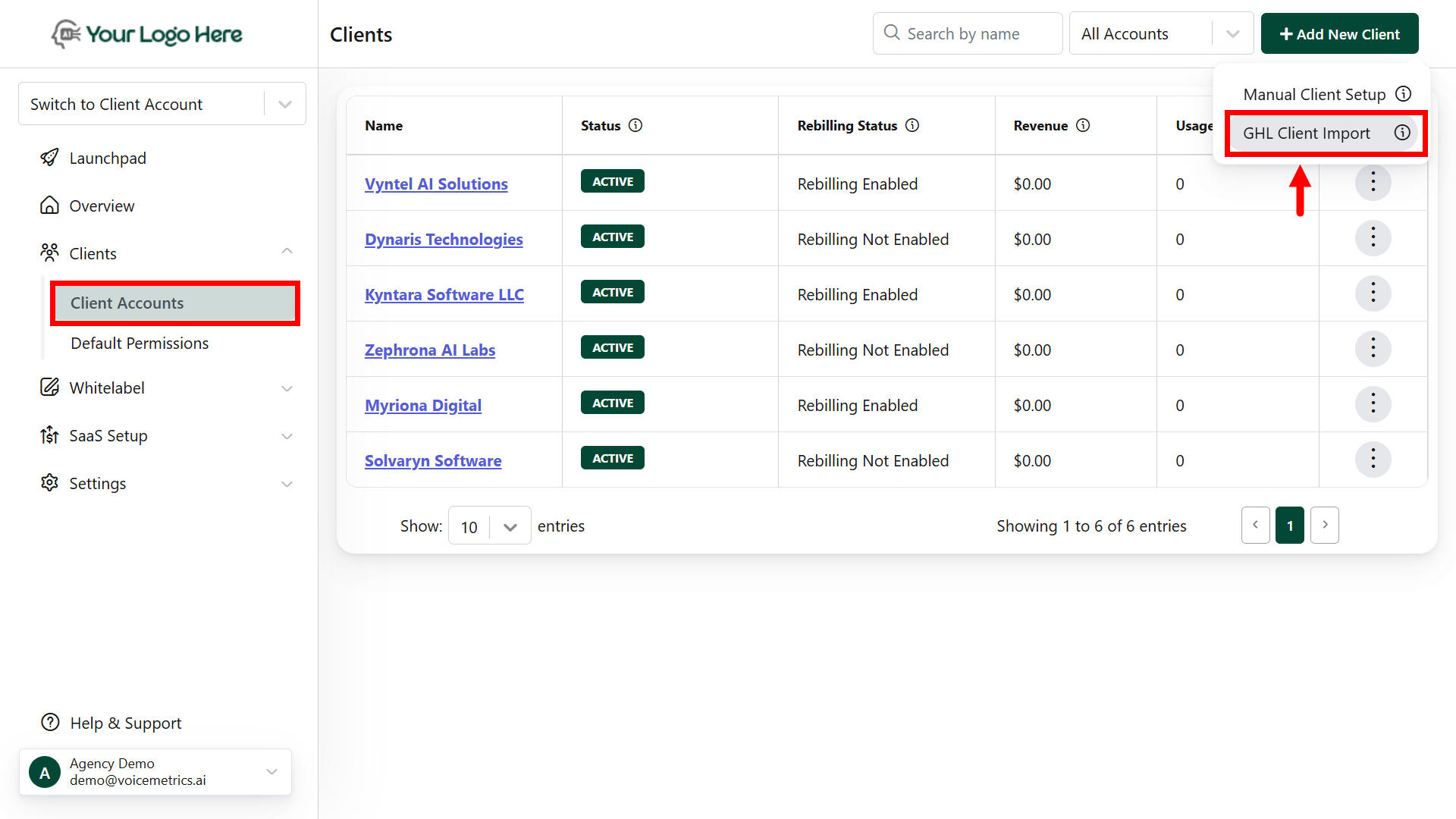
- Go to Clients → Add New Client.
-
Click GHL Client Import.
2
GHL Permissions
- Install GoHighLevel (GHL) from the Marketplace.
- Enable “Voicemetrics Call” and click Proceed.
-
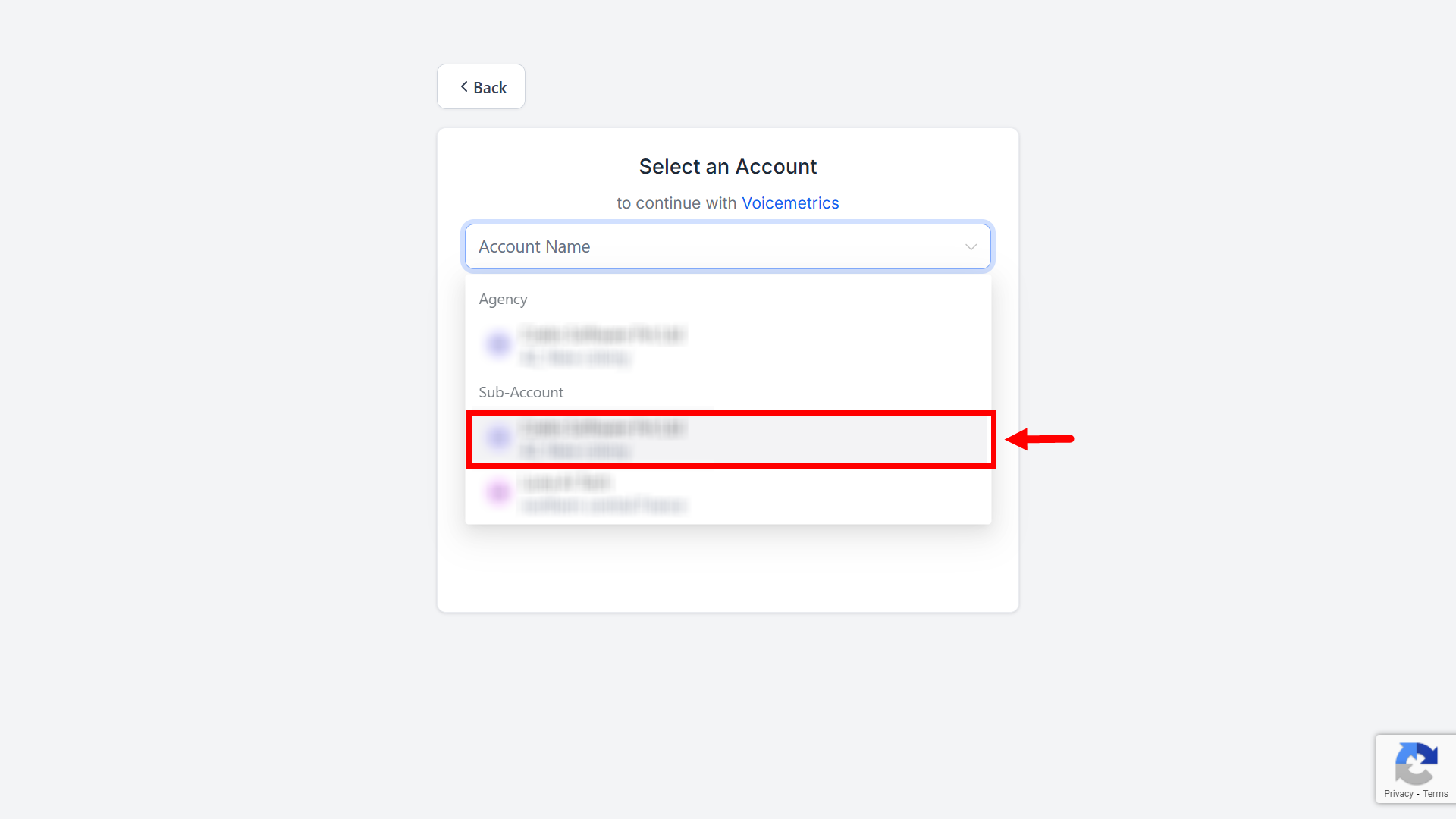
Select your client (must be listed as a Sub-account in GHL).
GHL Settings
1
Connect to GHL
- Log in to your Voicemetrics Agency account.
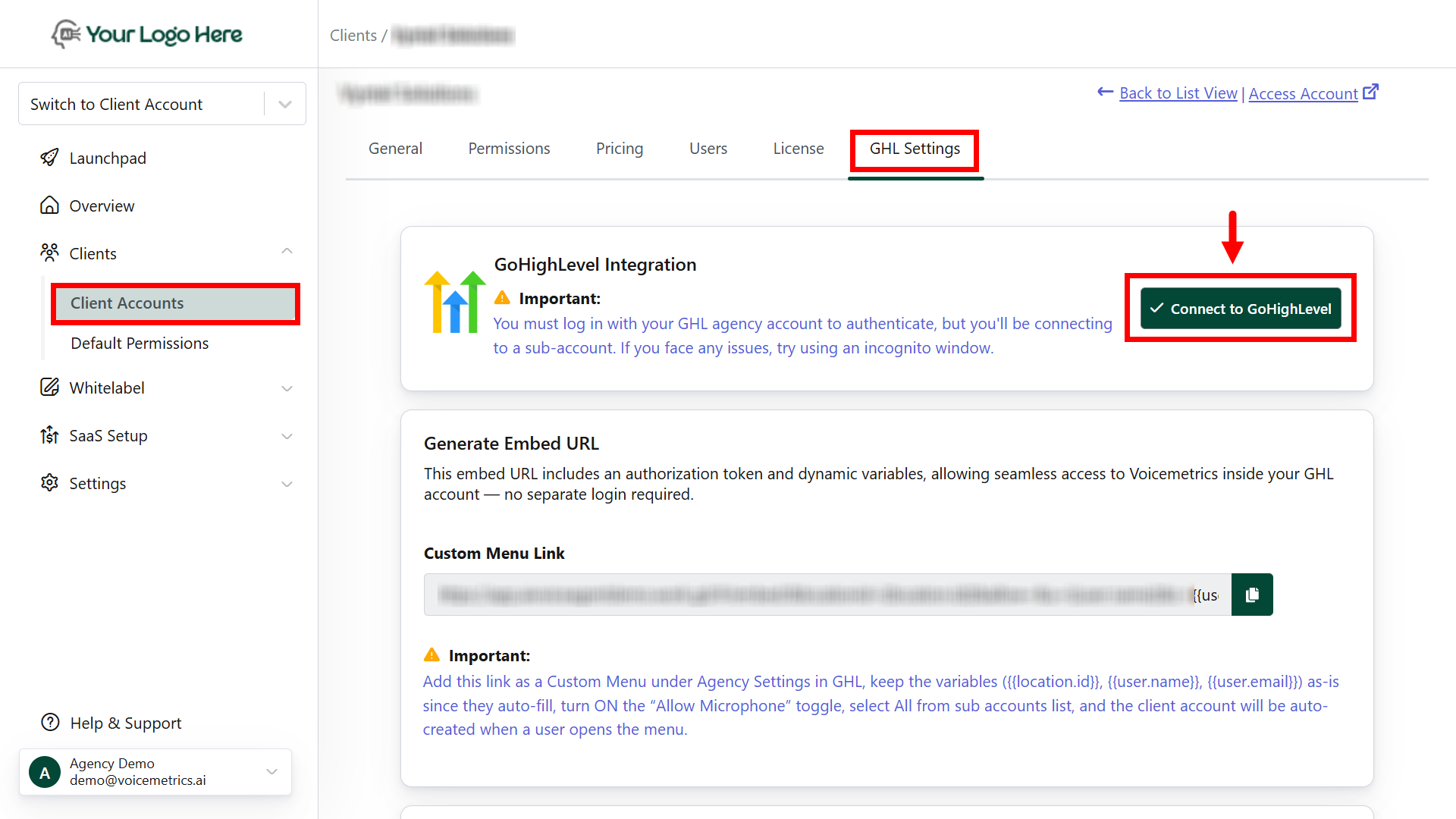
- Go to Client Accounts → Open desired Client → GHL Settings.
-
Click Connect to GHL.
-
Install GHL from the Marketplace.
.png?fit=max&auto=format&n=6idSWEu8E48umMvc&q=85&s=b64e6aa4cea48493a0f89301765c6b40)
- Enable “Voicemetrics Call” and click Proceed.
-
Select your client listed as a Sub-account in GHL.
Keep both Voicemetrics and GHL open in two tabs of the same browser for a quick setup.
2
Custom Menu Link
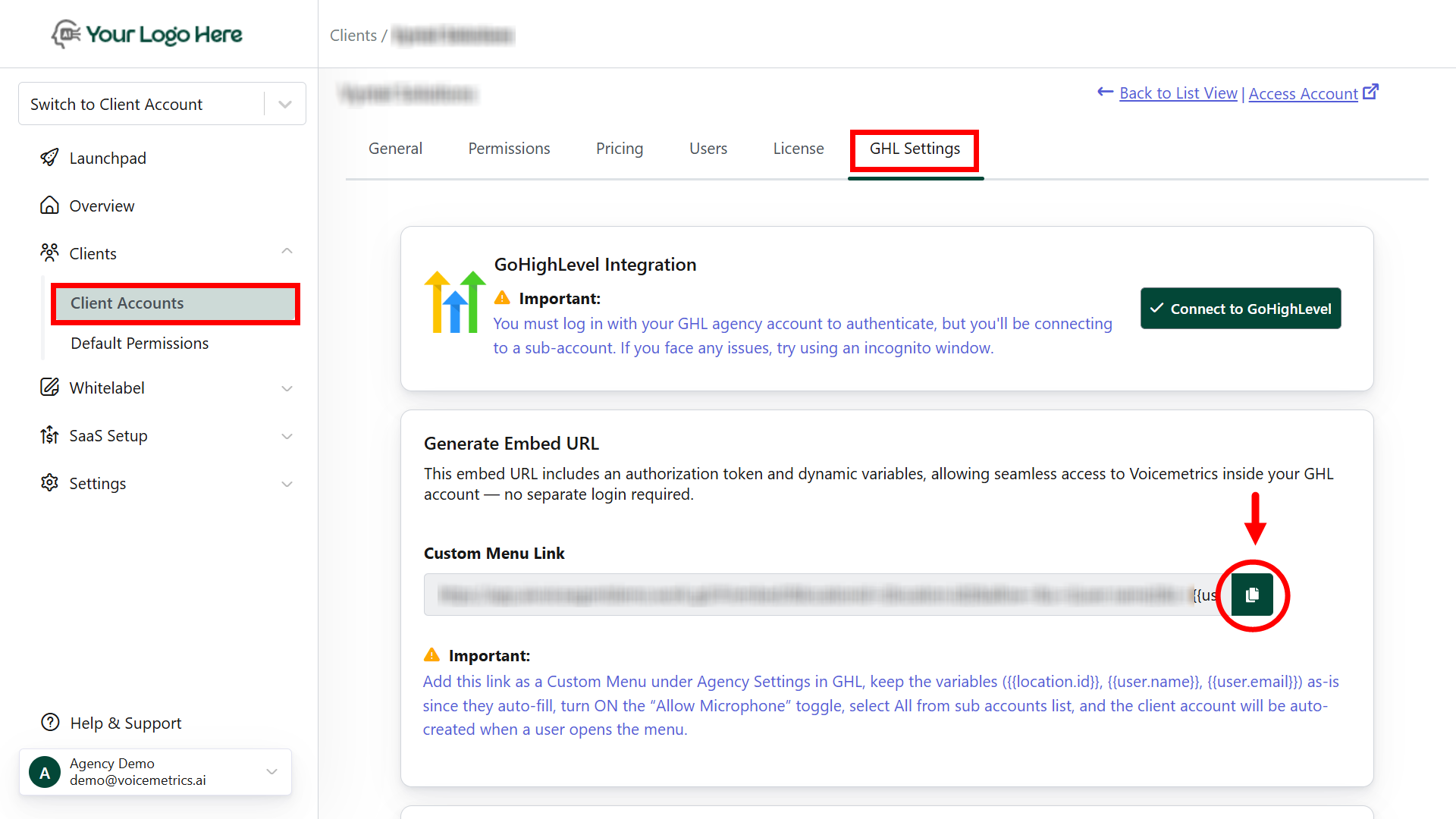
- In the Voicemetrics Agency account, go to Client Accounts → GHL Settings.
- Copy the Custom Menu Link URL
- In GHL, go to Settings → Custom Menu Links.
- Click Create New and:
- Choose an icon and name.
- Paste the copied URL.
- Enable “Allow Microphone”.
- Select all sub-accounts.
All GHL CRM users can now access Voicemetrics inside GHL.
3
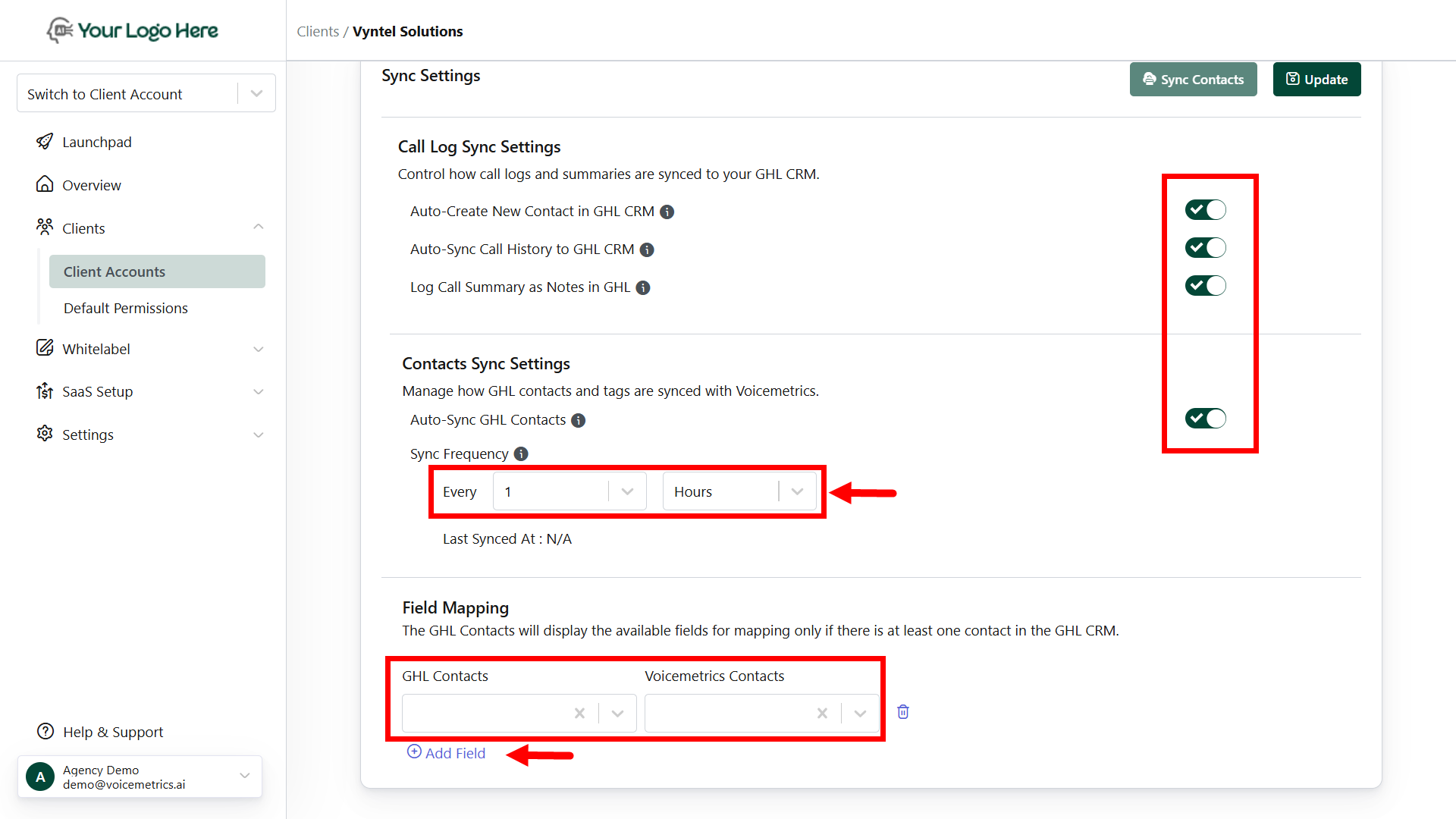
Sync Call Logs & Contacts
In Voicemetrics → GHL Settings, enable:
- Auto-Create New Contact in GHL CRM
- Auto-Sync Call History to GHL CRM
- Log Call Summary as Notes
- Auto-Sync GHL Contacts
Set Sync Frequency (e.g., every 1 hour)
4
Field Mapping
- Click Add Field to map additional contact fields.
-
Ensure accurate field mapping for precise data sync between Voicemetrics and GHL.
FAQs
Do I need to log in with the main GHL account or sub-account?
Do I need to log in with the main GHL account or sub-account?
Log in with your sub-account. You’ll see the Voicemetrics menu inside.
How often does the contact sync run?
How often does the contact sync run?
You can set your preferred sync frequency (e.g., every 1 hour).
What if there are no contacts in GHL CRM?
What if there are no contacts in GHL CRM?
Field mapping appears only after at least one contact exists in GHL.
How do I ensure call logs sync correctly?
How do I ensure call logs sync correctly?
Turn on Auto-Sync Call History and Log Call Summary as Notes.